
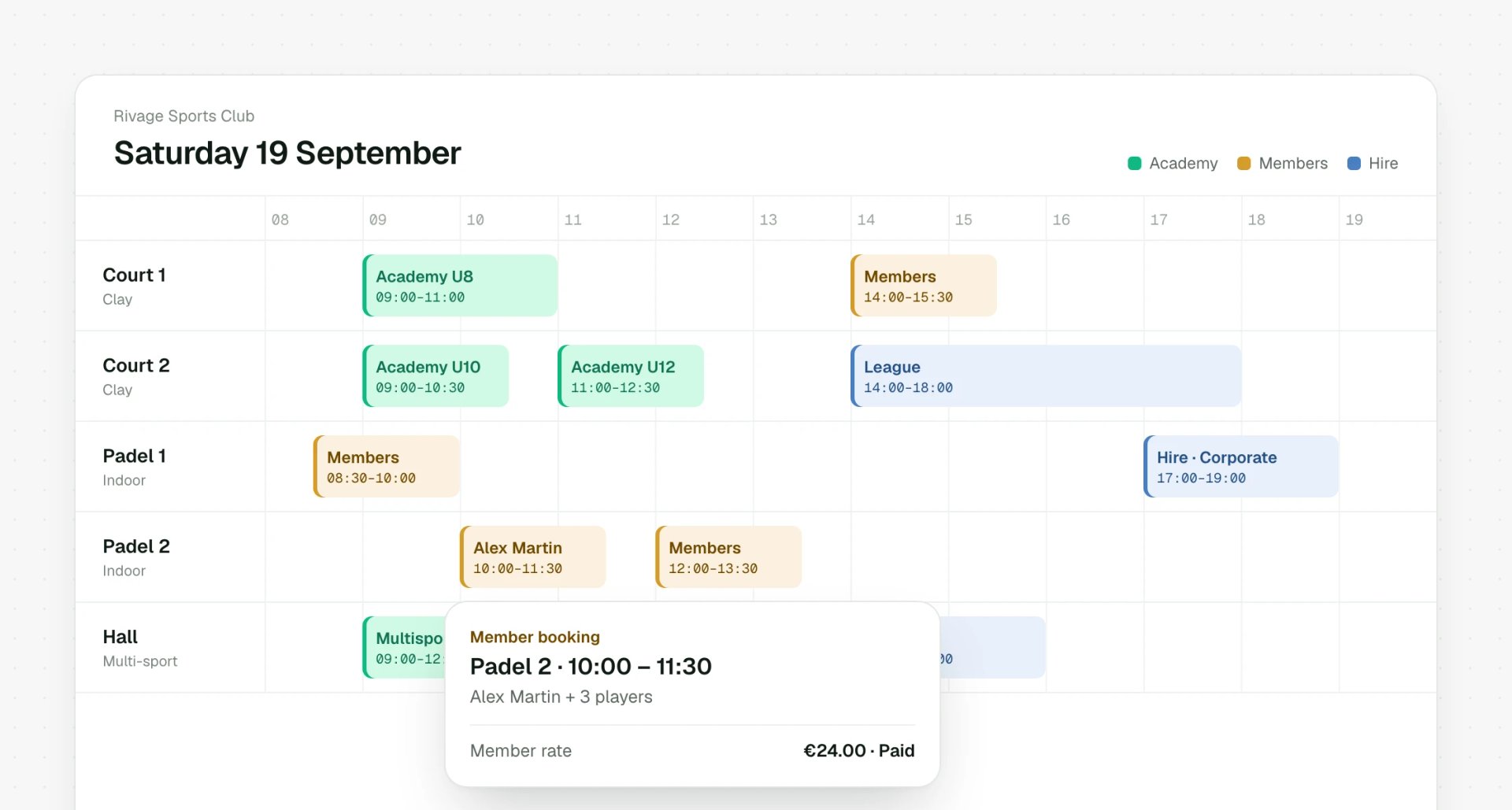
Share without sending a thing
Teachers, coordinators and colleagues go straight to their own timetable and registrations. No files to forward.
Roles and permissions
Administrators, coaches, partner clubs and as many custom roles as you like. Everyone sees exactly what they need, and nothing else.
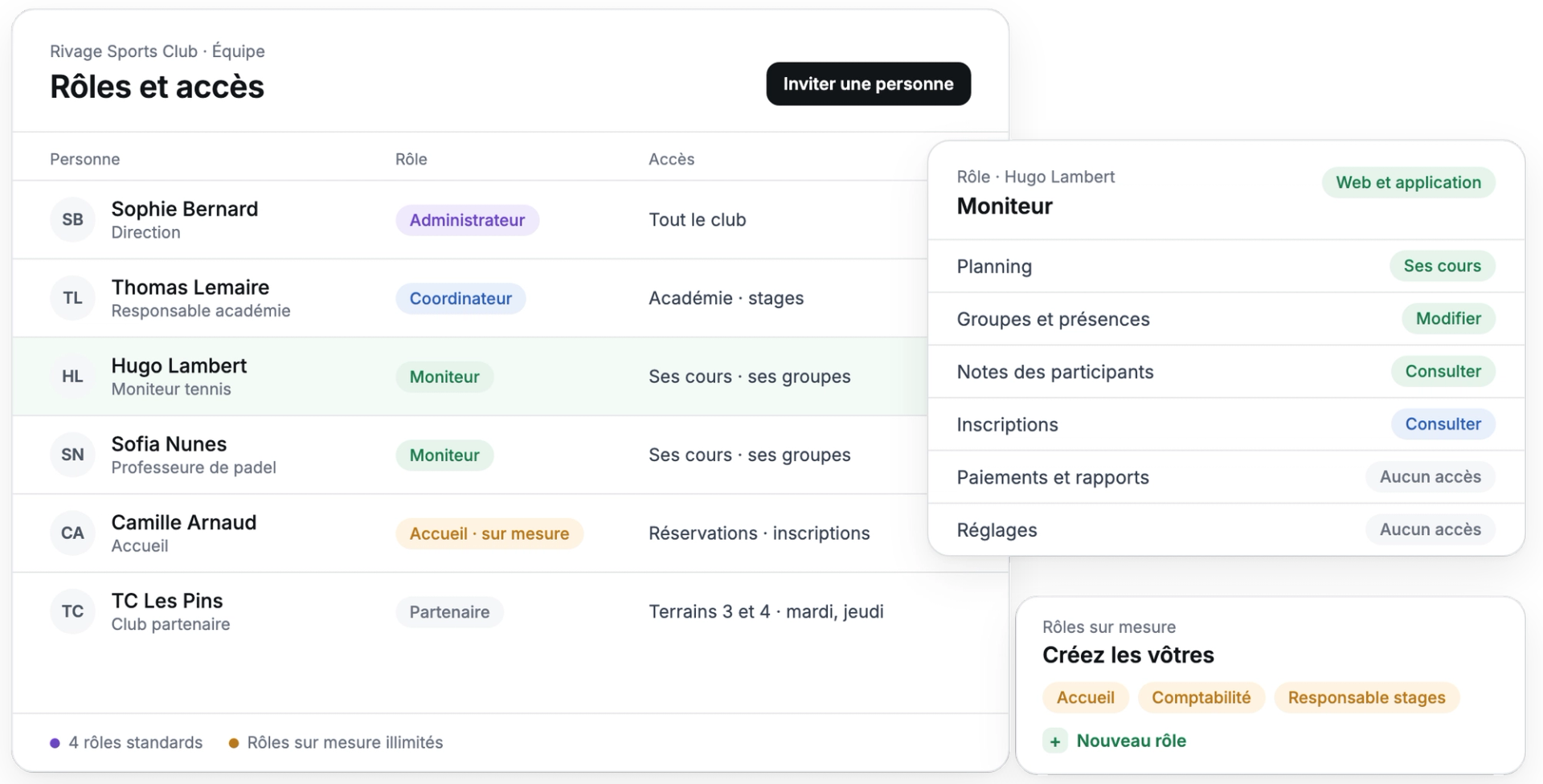
No more shared passwords or timetables flying around by email. Everyone gets their own login, matched to their role.
Everyone sees everything, finances included.
A new file to send after every change.
Group lists sent by text message.
Payments and reports open to the whole team.
Day to day
Teachers, coordinators and colleagues go straight to their own timetable and registrations. No files to forward.
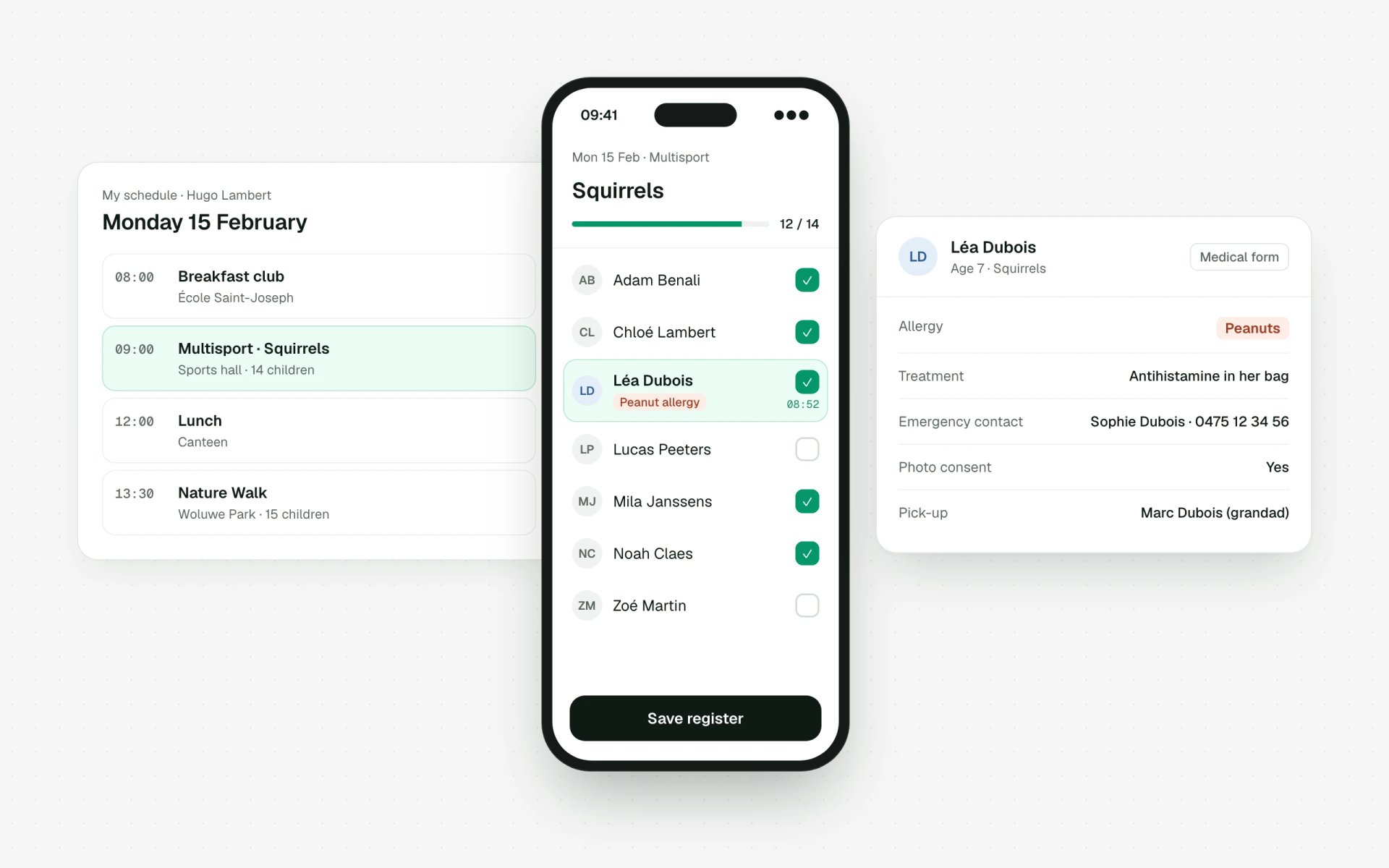
Less clutter for your staff: they open the app and get straight to what matters.
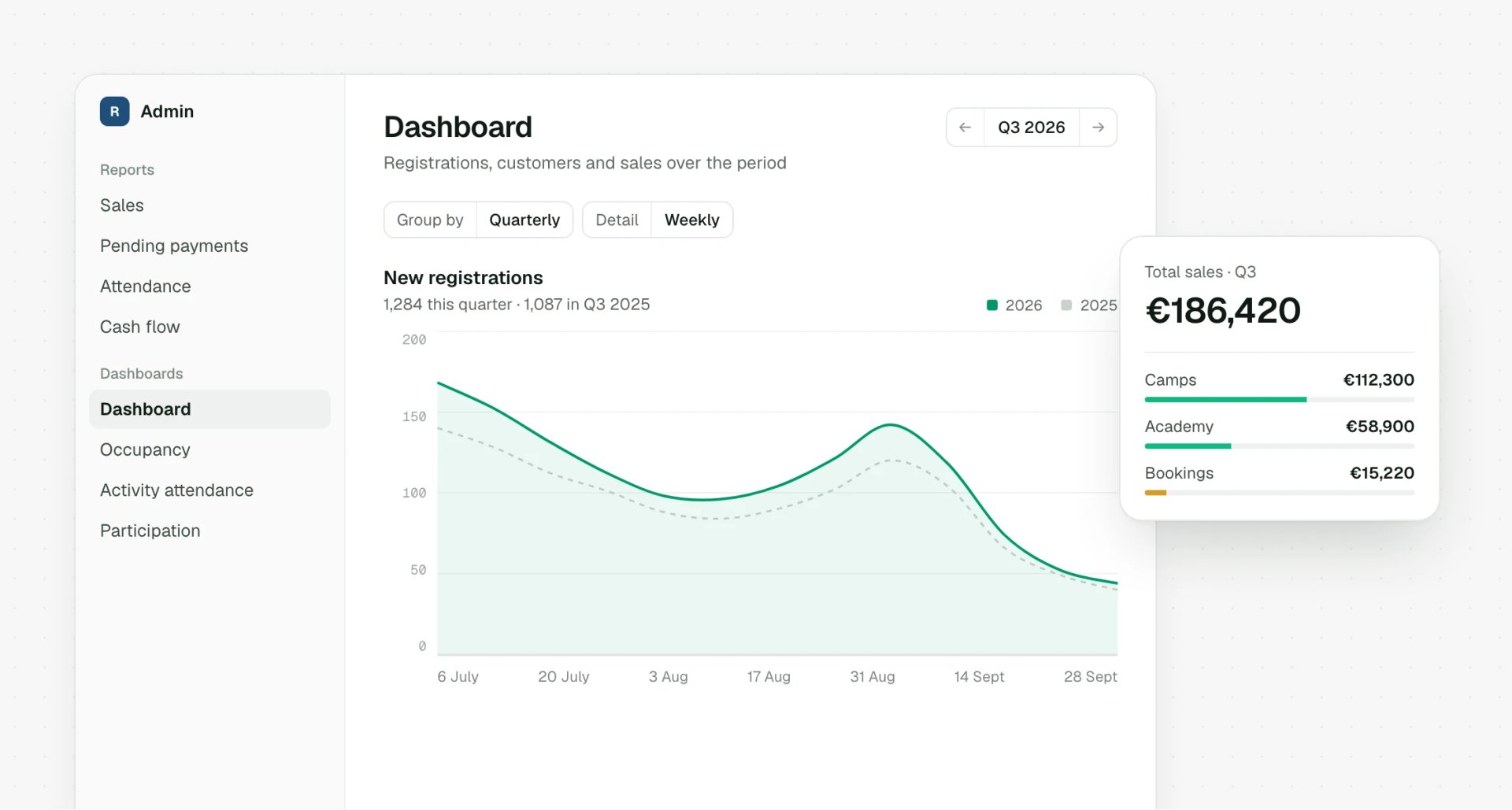
Payments, invoices and reports stay with the roles you choose.

Coordinators get on with their own activities without needing sign-off on everything.
How it works
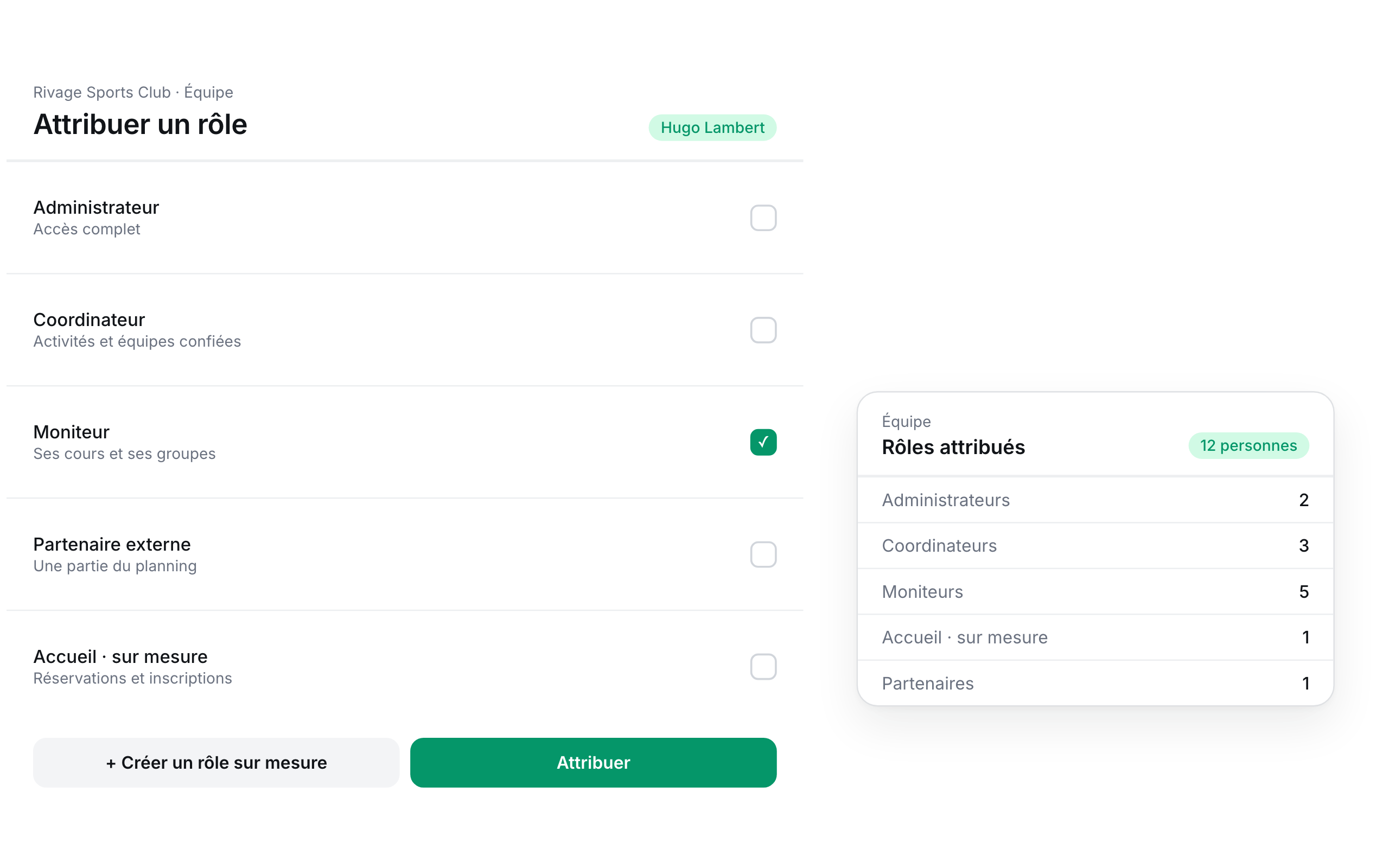
Give each person a ready-made role, or one you've built yourself.
In detail
The roles most organisers need come ready to use, and you can add as many more as you like.
Full access: activities, payments, settings and team management.
They run the activities, groups and timetable you put them in charge of.
On site, the app for their groups, notes and attendance. On desktop, everything their role allows.
A partner club or school sees only its own part of the timetable.
Create as many roles as you need, with exactly the access you decide.
Who is it for?
The organisers who rely on it most.

Coaches, committee and academy, each with their own access.
Découvrir
Partner schools see their own timetable.
Découvrir
Site coordinators and the leaders running each group.
Découvrir
Coaches and partner clubs, each with their own timetable.
DécouvrirAll connected
Everything here flows straight into your bookings, payments, timetable and each customer's account.
FAQ
Answers to the questions we're asked most. Can't see yours? Get in touch
The most common roles come ready to use: administrator, coordinator, coach or teacher, and external partner. On top of that, you can create as many custom roles as you need.
Yes. A partner club or school only sees its own part of the timetable, never your registrations, customers or finances.
On site, the staff app shows their groups, participants, notes and attendance. On desktop, they can reach everything their role allows, and nothing beyond it.
Yes, whenever you like. Their access updates straight away to match the new role.
Yes. Everyone signs in with their own account, so there's no need to share passwords.
Fancy a chat?
In 30 minutes, we'll map out together who needs to see what in your organisation.
We use cookies to measure traffic and personalise our ads. Learn more


